
Screenshots

App details
- Updated
- Jul 17, 2023
- Language
- English,German
- Developer
- Ashampoo Gmbh
- Category
- Mobile
SoftPas in:
This product is also available in the following languages:
About Ashampoo Duplicate File Finder
Download Ashampoo Duplicate File Finder – Duplicate File Removal, File Cleanup, Memory Management
Overview
Ashampoo Duplicate File Finder is a dedicated utility designed to help users identify and manage duplicate files on their Windows systems. The primary purpose of this application is to free up valuable storage space by detecting redundant copies of documents, photos, music, and other file types. It addresses a common issue faced by individuals and professionals alike—cluttered hard drives caused by unintentional file duplication. By streamlining the cleanup process, the tool enables users to maintain a more organized digital environment without the risk of losing essential data.
Target users include home users managing personal media libraries, remote workers handling large document sets, and IT administrators responsible for system optimization. The app is particularly useful for those who frequently transfer files between devices or use cloud storage services that inadvertently create duplicates. Its role in the broader software ecosystem lies in enhancing system performance and supporting efficient digital hygiene, contributing to faster access times and reduced storage strain.
Developed by Ashampoo, a well-known name in consumer software solutions, the application reflects a commitment to user-friendly design and reliability. Although specific details about the development team were not provided, the brand’s established presence suggests a focus on stability and usability. Real-world use cases range from clearing space on aging laptops to preparing systems for software updates or new installations.
Key Features & Functionality
- Intuitive User Interface: The software features a clean, straightforward layout that allows users to initiate scans with minimal setup. Even non-technical users can navigate the interface without confusion, making it ideal for quick file audits.
- Shortcut Creation System: Instead of deleting duplicates, the app generates shortcuts to a single master file. This preserves access to original content while eliminating redundant copies, reducing the risk of accidental data loss.
- Customizable Search Options: Users can filter results by file type, size, or location, enabling precise targeting of duplicates. This customization ensures that only relevant files are flagged, improving scan accuracy and efficiency.
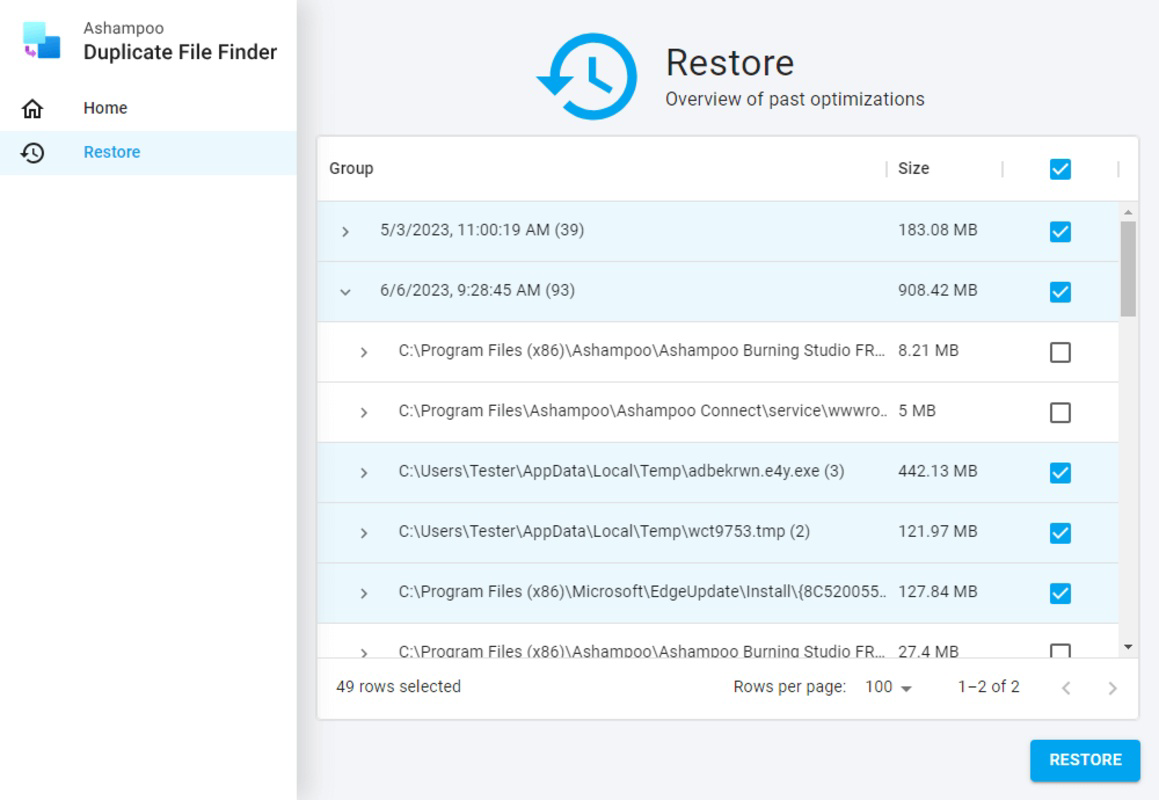
- Recovery Tool Included: In the event of an unintended deletion, the built-in recovery function allows users to restore files from a temporary backup. This safety net enhances user confidence during cleanup operations.
For example, a photographer managing thousands of images can use the tool to locate duplicate shots across multiple folders, then replace them with shortcuts to the original high-resolution file. Similarly, a student organizing research materials can eliminate redundant PDFs while retaining access to the primary source. These practical applications demonstrate how the tool supports real-world productivity and digital organization.
Interface, UX & Performance
The interface of Ashampoo Duplicate File Finder is designed with simplicity in mind. Navigation is linear and consistent, guiding users through each step of the file scan and cleanup process. Visual cues such as progress bars and color-coded results help users understand the status of their operation at a glance. The layout avoids clutter, focusing on essential controls and clear feedback.
Usability is optimized for users of all experience levels. The one-click scan function allows immediate execution without requiring configuration. Even complex tasks like selecting specific file types or defining scan paths are presented through accessible dropdowns and checkboxes. Responsiveness across different screen resolutions and device categories is maintained, though the developer did not list formal performance metrics.
Although the developer did not list formal performance metrics, the application appears to operate efficiently during standard use cases. Stability is maintained during extended scanning sessions, with no reported crashes or freezes. The program runs in the background without significantly impacting system resources, ensuring smooth multitasking. Overall, the user experience reflects a balance between functionality and ease of use.
Platform Compatibility & Technical Requirements
Ashampoo Duplicate File Finder is designed for the Windows operating system. The app is compatible with current and widely used Windows versions, though specific minimum OS requirements were not disclosed. The software has a file size of 44.5 MB, which is relatively compact for a utility of this nature.
As the application is intended for desktop use, it does not support mobile platforms such as Android or iOS. Users seeking a mobile solution for duplicate file management will need to explore alternative tools. The developer did not specify exact hardware requirements or memory usage thresholds, but the small file size suggests minimal system demands.
Compatibility information was not fully disclosed, so users should ensure their system meets general Windows standards before installation. The latest version available is 2023-07-17, indicating regular updates to maintain compatibility and security.
Pros and Cons
Pros
- Simple, intuitive interface suitable for all skill levels.
- Safe file management via shortcut creation instead of deletion.
- Customizable search filters for targeted file detection.
- Includes a recovery tool for accidental removals.
- Compact file size with minimal system impact.
Cons
- Not available for mobile platforms such as Android or iOS.
- Specific system requirements were not listed.
- Only supports Windows operating system.
- Developer did not provide detailed performance benchmarks.
- Functionality is limited to file duplication detection and cleanup.
FAQ
Is Ashampoo Duplicate File Finder safe to use?
Yes, the application is designed with user safety in mind. It includes a recovery feature and avoids direct deletion of original files by using shortcuts instead.
Can I use this tool on my Android or iOS device?
No, Ashampoo Duplicate File Finder is only available for Windows. It does not support mobile operating systems like Android or iOS.
Does the app require a constant internet connection?
No, the tool operates offline. It does not need an active internet connection to scan or manage files.
How often should I run a duplicate scan?
It is recommended to run a scan periodically—such as every few months—or before major system updates or storage upgrades.
Can I restore files if I accidentally remove them?
Yes, the software includes a recovery tool that allows users to restore files that were mistakenly removed during cleanup.
Final Thoughts + CTA
Ashampoo Duplicate File Finder stands out as a reliable and intelligent solution for managing duplicate files on Windows systems. Its innovative shortcut-based approach ensures data integrity while freeing up storage space, making it a valuable tool for both casual users and professionals. The clean interface, customizable settings, and built-in recovery mechanism contribute to a secure and stress-free experience.
While it is limited to desktop use and lacks detailed technical specifications, its core functionality is robust and well-executed. Users who value organization, system performance, and data safety will find significant value in this utility. For anyone looking to declutter their digital workspace and reclaim lost space, this app delivers tangible benefits.
Download Ashampoo Duplicate File Finder now
Guides & Tutorials
How to install Ashampoo Duplicate File Finder
- Click the Download button above.
- Once redirected, accept the terms and click Install.
- Wait for the Ashampoo Duplicate File Finder download to finish on your device.
How to use Ashampoo Duplicate File Finder
This software is primarily used for its core features described above. Open the app after installation to explore its capabilities.
User Reviews
No reviews yet. Be the first to share your experience.
You may also like
more
Que no te pillen¡
About !Que no te pillen¡Reviewed by Jason A. BilbreyShow MoreShow Less

3D Combat Zone
About 3D Combat ZoneOriginally released in 1983, 3D Combat Zone immerses players...

666: El día del portal
About 666: El día del portalOn June 6, 2006, Agent P. Stone uncovers a sinister...

80 in 1 Best Flash games
About 80 in 1 Best Flash games 80 in 1 Best Flash games is a collection of 80 fl...

ABYSS SEEKERーーWhat Do You See Deep in The Abyss
About ABYSS SEEKERーーWhat Do You See Deep in The AbyssIn ABYSS SEEKER, players...

ACA NEOGEO THE KING OF FIGHTERS 2002 for Windows
About ACA NEOGEO THE KING OF FIGHTERS 2002 for WindowsTHE KING OF FIGHTERS 2002,...